
Okay real talk—figuring out how to watch live channels online from your phone was one of those things that sounded simple until I actually tried it. I thought “cool, just download an app and boom, cable on my phone.” Nope. First couple months I was buffering like crazy, burning through data, missing the end of games because the app logged me out for no reason, the whole nine yards. I’m in my mid-30s, live in a decent-sized U.S. city with okay-but-not-amazing internet, still have moments where I stare at my phone like why is this so hard.
But I stuck with it because honestly I got tired of missing Sunday Night Football when I’m out running errands or when the TV is being hogged. So here’s the messy, not-very-polished version of what ended up working for me after screwing up plenty.
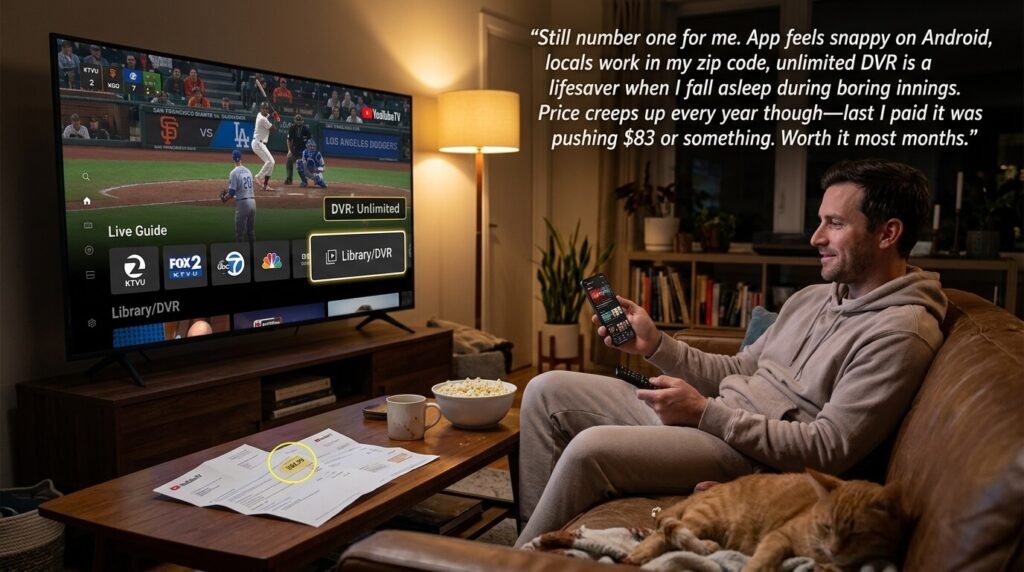
Those two kinda capture the chaotic energy—phone propped up on a coffee table, snacks everywhere, live sports glowing. That’s basically every weekend now.
How It Started (and Why I Almost Gave Up)
Was on a work trip last winter, stuck in a hotel with terrible cable that only got like eight channels, none of them the playoff game I wanted. Tried pirating for like five minutes (don’t recommend, sketchy as hell and froze anyway), then remembered YouTube TV had a free trial. Signed up on my phone in the hotel bathroom because the Wi-Fi was stronger there for some reason. Watched most of the game. Picture wasn’t perfect, commercials still sucked, but I didn’t miss the fourth quarter. That was the hook. Still hate how I almost dropped $15 on stadium nachos prices just to watch legally lol.
The Apps I Keep Coming Back To (Not Sponsored, Just Habit)
Paid ones first because they’re reliable when I actually care about not missing something.
YouTube TV – still number one for me. App feels snappy on Android, locals work in my zip code, unlimited DVR is a lifesaver when I fall asleep during boring innings. Price creeps up every year though—last I paid it was pushing $83 or something. Worth it most months.
Hulu + Live TV – good when I want Disney+ and ESPN+ bundled in. Mobile streaming is smooth, picture-in-picture works great so I can half-watch news while scrolling Reddit. Sometimes the guide lags a bit on my older phone.
Sling – cheaper when I’m being cheap. Used Orange package for a while. Not as many locals but fine for national stuff and random cable channels I miss.
Fubo if it’s soccer season or I’m deep in NFL RedZone mode. Their app actually handles fast channel switching pretty well on phone.
Something like that—phone screen full of live action, snacks, maybe a beer. Very on-brand for how I use it.
The Free Stuff I Use When I’m Broke or Lazy
Pluto TV – surprisingly decent live channels. News, random 90s shows, music video stations. Ads every ten minutes but free is free.
Tubi Live and The Roku Channel app (no device needed) – similar deal. Good for background noise while I’m cooking or cleaning.
Samsung TV Plus if you have a newer Galaxy phone—some live news and sports highlights channels built in.
Things I Wish Someone Told Me Sooner (aka My Dumb Mistakes)
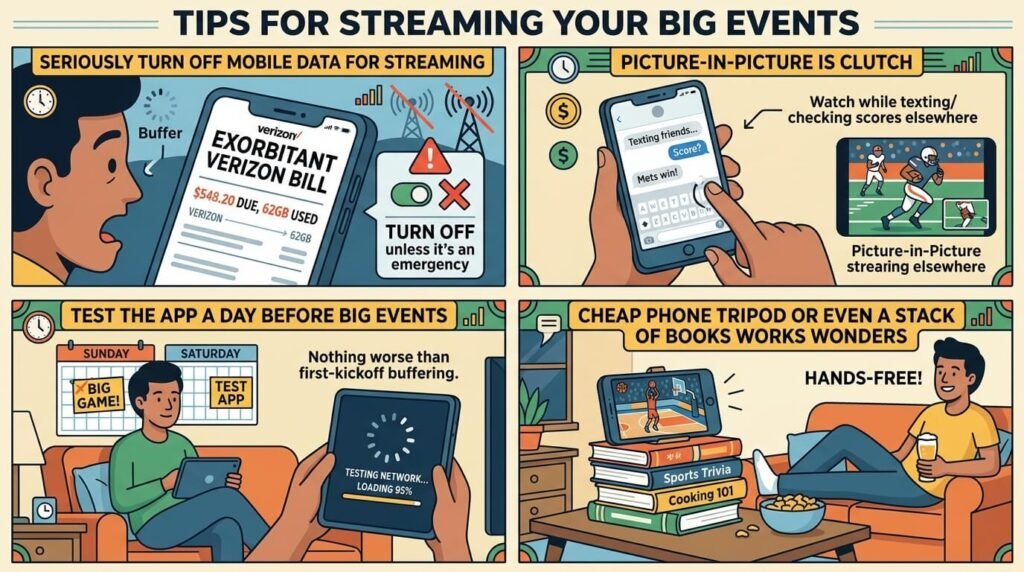
- seriously turn off mobile data for streaming unless it’s an emergency. My Verizon bill one month was ugly.
- picture-in-picture is clutch—watch while texting or checking scores elsewhere.
- test the app a day before big events. Nothing worse than first-kickoff buffering.
- cheap phone tripod or even a stack of books works wonders for hands-free.
Not my living room but you get it—cozy mess, phone doing the heavy lifting.
If you want more professional takes I usually peek at CNET’s live TV streaming roundup or Tom’s Guide comparisons. They stay on top of price changes and blackouts way better than I do.
So yeah… how to watch live channels online from your phone is doable, it’s just not elegant. I still miss the satisfying click of a physical remote sometimes, but being able to watch the local news while waiting in line at the DMV makes up for a lot. Start with a free trial, don’t overthink it, and expect a couple frustrating nights. You’ll get there.
What’s your setup like these days? Any app I’m sleeping on? Drop it below—I’m nosy.