
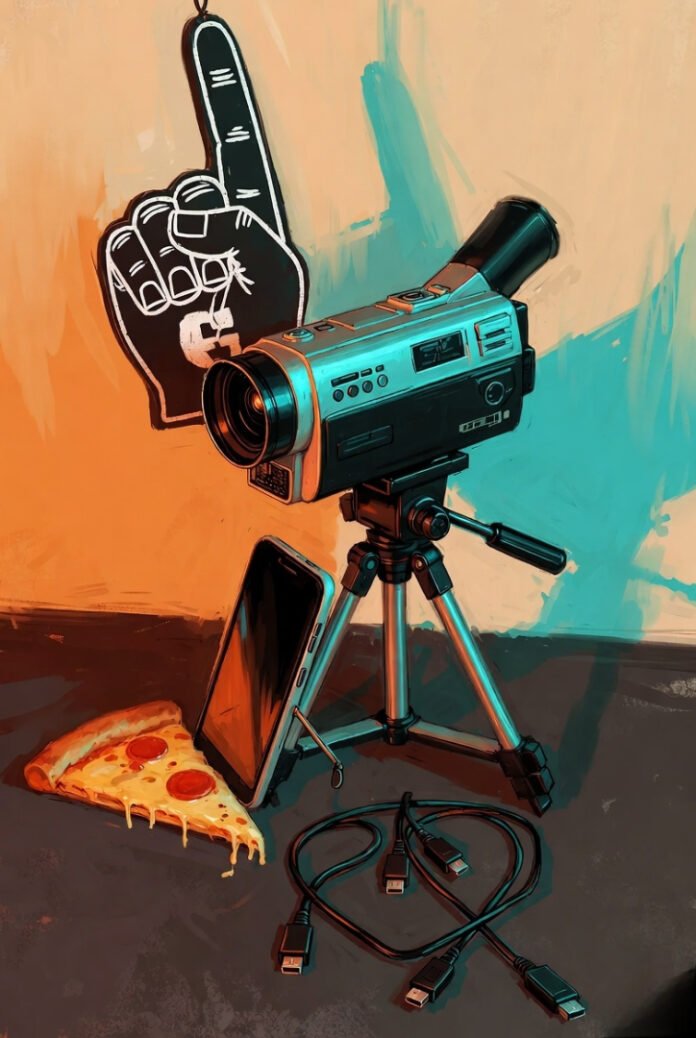
Look, figuring out how to live stream events, sports, and shows in HD has been one long string of me fumbling around and slowly not hating the results. I first got into this because my folks live a few states away and I wanted them to watch my nephew’s peewee football games without having to bundle up and drive through snow. That was maybe four years back—early pandemic days when everything felt stuck—and man, the first stream was embarrassing. Video looked like it was shot through mashed potatoes, audio kept dropping every time someone cheered too loud, and I spent half the game muting myself so they wouldn’t hear me muttering “come on, work you piece of junk.” These days I do it for random stuff too: throwing watch parties for college basketball on winter nights when the house smells like chili and the dog’s snoring on the rug, or just capturing a friend’s backyard cornhole tournament because why not. It’s still not perfect—never is—but it’s gotten to where people actually watch instead of politely dipping out after a minute.
Why HD Actually Matters (Even If I Ignored It Forever)
Streaming in garbage quality just feels disrespectful to whoever’s tuning in. I remember one Saturday tailgate stream—cooler full of cheap beer sweating on the picnic table, grill popping with burgers, everyone in hoodies yelling over the wind—and it came out so pixelated my sister texted “is the camera drunk?” Yeah, that stung. Going HD means you actually see the ball snap, catch the high-fives, read the score without guessing. Viewers stay longer, chat more, and platforms like YouTube seem to push better-looking streams anyway. Took me forever to stop being cheap about upload speed and bitrate, but once I did, it was night and day.

Football Watch Party Made Easy with a Home Projector | BenQ Asia Pacific
(Filename suggestion: friends-watching-sports-stream-home.jpg – group on the couch cheering a big play on a projected screen, captures that casual American sports night energy I try to share when streaming games or events.)
Gear That’s Literally Sitting Around My Place
Nothing fancy, promise—this is what I actually grab:
- My phone (iPhone mostly these days) zip-tied to a wobbly Amazon tripod because the good one broke last summer.
- Logitech webcam I found in a box when cleaning the garage—works fine for face cam.
- Three-year-old Dell laptop that groans but handles OBS if I kill Chrome tabs first.
- Internet: whatever cable provider serves my neighborhood, usually 12-18 Mbps upload on a good day. I run speed tests obsessively now.
- Mic: started with the built-in one (everyone sounded like they were in a tin can), now a $40 USB mic that at least picks up my voice without the fan noise.
My “setup” is the coffee table in the living room—remotes, empty La Croix cans, kid’s forgotten Legos everywhere. Glamorous? Nope. Functional? Mostly.

(Filename suggestion: cluttered-desk-streaming-gear.jpg – flat lay of random tech, cables, phone, laptop bits scattered like my actual table when I’m mid-setup for a stream.)
OBS Steps I Actually Follow (After Way Too Many Fails)
OBS is still the free king for me.
- Download from obsproject.com live stream in HD —takes like two minutes.
- Video settings: 1920×1080 canvas and output, 60 FPS if the laptop’s not overheating (30 if it is).
- Output advanced mode: NVENC if NVIDIA card, bitrate around 6500 for 1080p. x264 otherwise but it taxes the CPU hard.
- Sources: camera device, display capture for TV/games/shows, audio inputs.
- Paste YouTube stream key, name the stream something dumb like “Saturday Chaos,” go live.
Forgot to crank bitrate once during March Madness—preview looked okay on my end, viewers got a choppy mess. Private test streams saved my dignity more times than I can count.
[Insert Video] YouTube video link:
Suggested video title: Best OBS Streaming Settings 2026 ⚙️ Setup Guide (1080p 60FPS) Why it fits: Walks through the exact tweaks I mess with—cuts through the confusion I had at first. Suggested placement: Right here after the steps.
Stuff That Changes Depending on What You’re Streaming
Sports: Need steady cam—handheld makes everyone motion-sick. I prop the phone on a folding chair for sideline shots now. Events/parties: Audio is make-or-break—wind or crowd noise kills it quick. Learned to point the mic away from the grill. Shows/watch-alongs: Screen share + tiny face cam box. Chat lags, but people get used to it.
Check OBS docs or YouTube’s streaming help if something breaks.
Mistakes I Still Make Because I’m an Idiot Sometimes
Router gets bumped by the dog—stream freezes. Laptop fan screams after 90 minutes—quality tanks. Leave Netflix running in background—bandwidth gone. I forget wired Ethernet half the time and pay for it live stream in HD . Always test private, keep phone hotspot as backup, close every damn app.
Anyway, that’s where I’m at with how to live stream events, sports, and shows in HD. It’s messy, imperfect, full of dumb little fixes, but when it clicks—someone comments “dude this actually looks good”—it feels worth the hassle. Sharing those random nights or games with people who aren’t there means something. Give it a whirl next weekend game or whatever. Start small, test a ton, don’t stress perfection. Drop your own screw-up stories or what you’re streaming first in the comments—I read ’em all. What’s on deck for you?